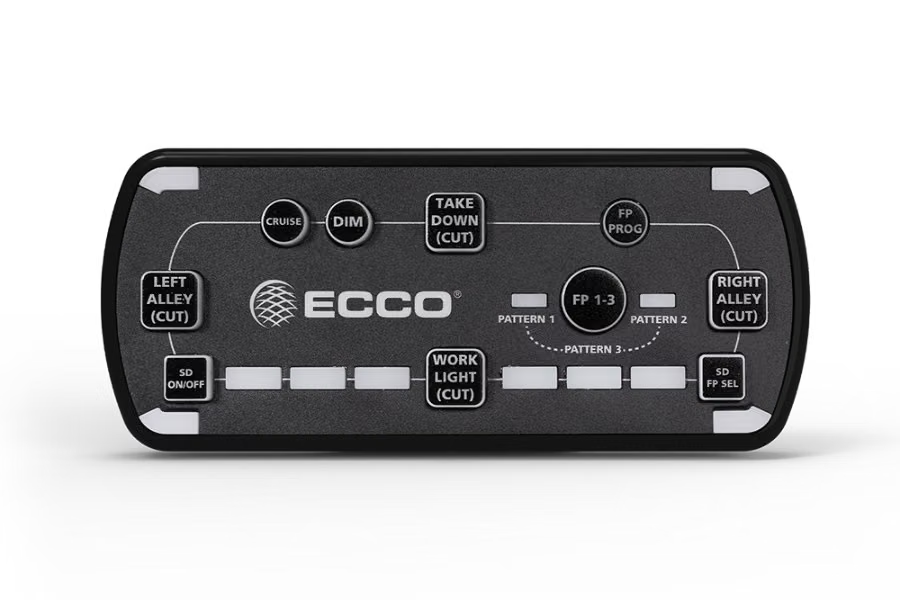
The Ecco EZ1202 12+ Series light bar controller is an optional in-cab advancedcontrol pad. This offers convenient control of the light bar’s built in flashpatterns and features with soft touch buttons and LED function indicatorlights. Power – Press to cycle through three programmable flash pattern presets Hold button down to shut down all functions. Press again to resume as before Cruise – Press to illuminate all directional modules in steady burn mode Day/Night Mode – Press to backlight the keypad and lower the brightness of the directional modules in the lightbar Auxiliary Output – For use with the auxiliary output from the junction box to a relay (customer supplied), to control any auxiliary device via the junction box controlled relay Flash Pattern Select – Double press to enter flash pattern select mode and cycle one flash pattern. The 4 corner LEDs on the controller will mimic the lightbar to give pattern feedback. Press again once to cycle to the next flash pattern. Press and hold for 3 seconds to return to the prior flash pattern. The lightbar will store the last flash pattern used to the active preset Safety Director On/Off (if configured) – Will resume pattern selected Safety Director Pattern Select – Press once to cycle to the next Safety Director flash pattern. There is a 5 second delay between the controller and the lightbar. Press and hold for 3 seconds to return to the prior flash pattern. The lightbar will store the last flash pattern used Forward Worklamp – Will turn on forward facing worklamps Rear Worklamp – Will turn on rear facing worklamps Alley Left – Will turn on left alley lights Alley Right – Will turn on right alley lights If purchasing the controller, must also purchase harness (see accessory below) Accessory Options Available: Ecco Controller Cable Assembly – #EC-EZ1210